

Reports for funeral home owners
Your month,
in one plain reportYour month, in one report
MemorialBooked's funeral home reporting software lays out your home's calls, website forms, pre-planning leads, Google reviews and ad spend. Every ad and listing rings through its own number, and each month our team writes you a short summary.
- Match every family's call to its ad
- A monthly report from us

One report a monthin plain English, from us
- Call tracking
- Calls, web forms, pre-need leads, reviews and ad spend
- A separate phone line per ad
- Pre-planning leads by source
- Our notes on the month, one page
At month's end, many owners get a report full of clicks and impressions. Here, every call carries the ad or listing behind it, and you read the month in plain English, with our notes on what to change.
A bill, no answers
Every call labeled by ad
One page, read over coffee


An ad bill and a guess
- 1Clicks, not calls. The agency report counts impressions, not families who phoned.
- 2Asked once, then forgotten. Where the family heard of you is never written on the arrangement form.
- 3Reviews counted by hand. Someone scrolls Google once a quarter to check.
- 4Pre-planning forms in an inbox. Nobody can say how many arrived last month, or from where.
The month, laid out
- A number per ad. Google, Facebook and Maps each ring through their own line.
- Calls listed with where they came from. Time, length, the ad or listing behind it, and whether anyone answered.
- Website forms counted by page. Pre-planning, contact and obituary pages, each counted apart.
- Pre-planning leads by stage. New, reached, meeting booked, plan made.
- Reviews as they come in. New Google reviews, your star rating and each reply our team wrote.
- Ad results in dollars. Spend, clicks and the calls each campaign brought.
- A report from us each month. Plain English, with what to change.
What our report says
- How many families called you. Split by the ad, listing or page behind each one.
- What each ad dollar brought in. Calls and forms set against that month's spend.
- What we'll change next month. The ad we'll pause or the page we'll fix, in plain words.
Inside the reports
Open one screen, see where calls came from
The three screens owners open most each month.


Each call lists its time and length, if staff picked up, and the Google ad, Maps listing or web page behind it. Pull up the unanswered ones and check that a director phoned the family back that day.
Google and Facebook campaigns side by side: what you spent, the clicks, and the calls and forms that followed. We read these numbers too before pausing any ad.
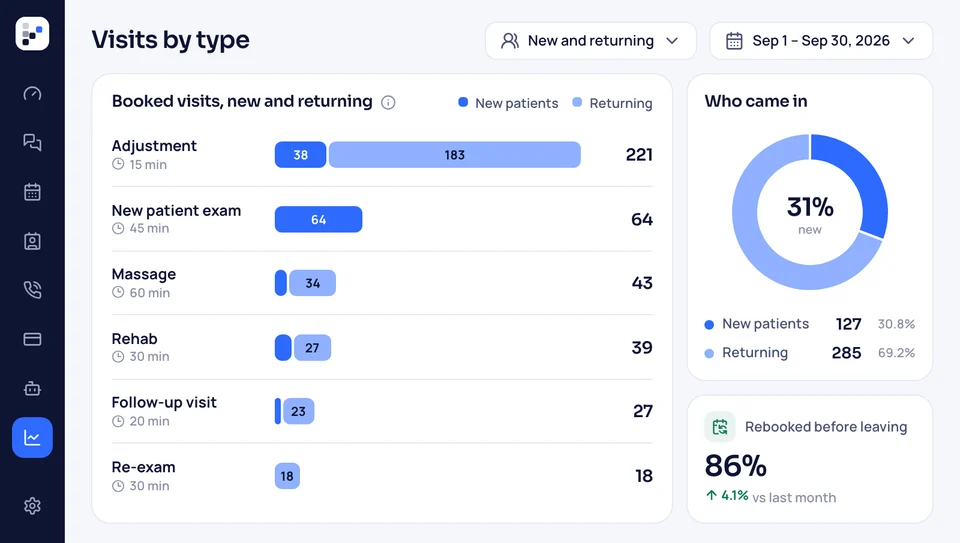
See how many pre-planning forms came in, where each one stands, and how many turned into meetings. Beside them sit new Google reviews and your rating, which show whether last month's families spoke up.
What gets measured
Six reports, each answering an owner's questionSix reports, each answering a question
Each row below is one report your home gets, the question it answers, and where its numbers come from. Our team reads them too, before writing your monthly report.
Calls tracked
Calls, with where they started
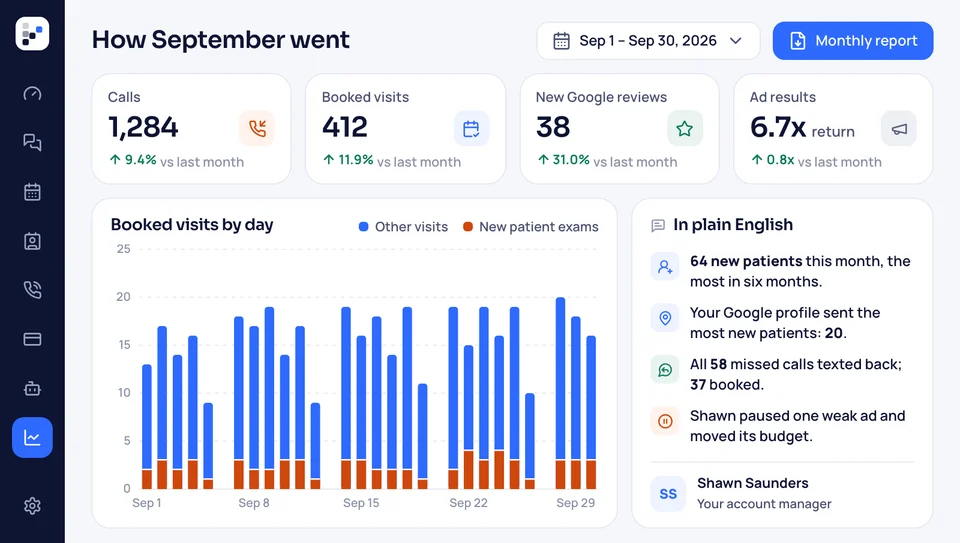
Each Google ad, Facebook ad, Maps listing and key page gets a number of its own. When a family calls, you see which one they dialed, the time, and whether anyone answered.
- Each callsource, time, length, and answered or missed.
- Missedflagged, with the text-back that followed.
Form sources
Where each form started
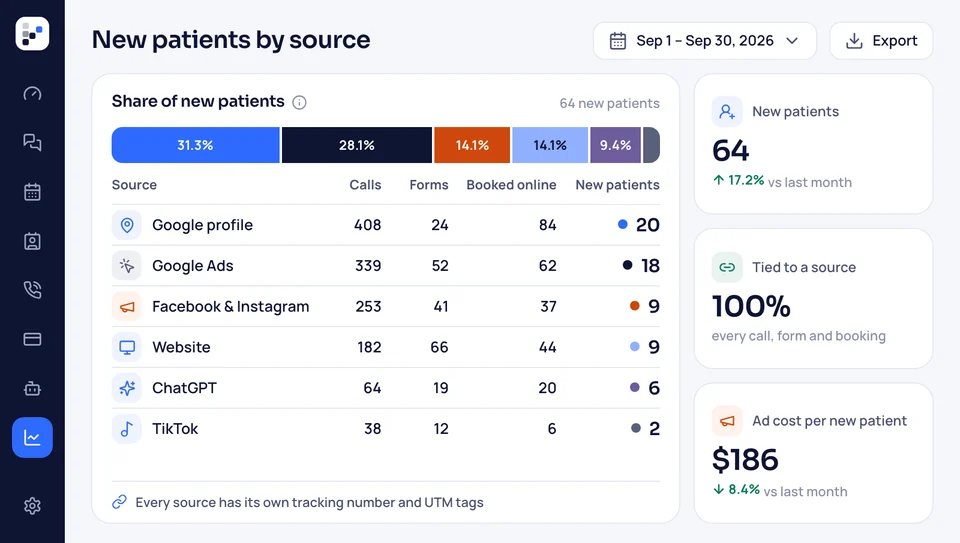
A pre-planning form or a contact form arrives with the page it came from and the ad that brought the visitor there, if any. Over a month, you see which pages bring families forward and which never send one.
- Per formthe page, the time and the ad behind it.
- Each monthforms counted by page and by type.
Ad results
What the ads brought
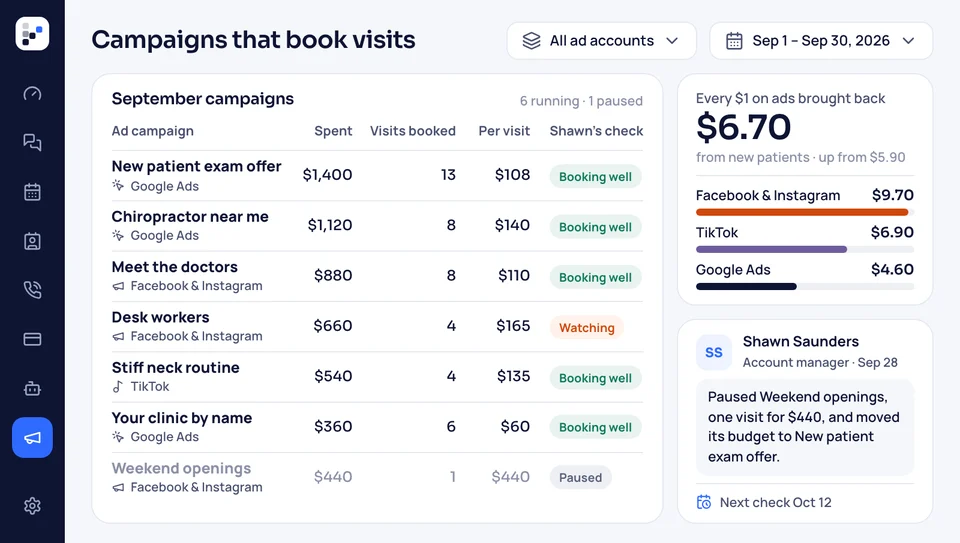
Ad money goes from your card to Google and Facebook, so the report shows what it bought: spend, clicks, calls and forms for each campaign. When an ad brings clicks but no calls, our team changes it, and next month's report says what we did.
- Per campaignspend, clicks, calls and forms that month.
- Our changeswhat we adjusted in the ads, and why.
Memorial pages
Calls that began on obituaries
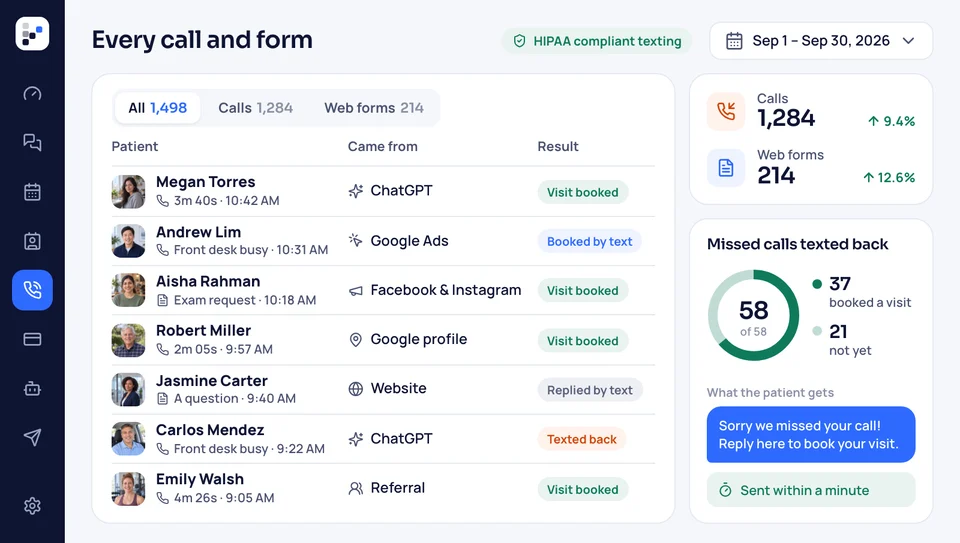
Relatives share an obituary, friends read it, and some remember your home when their own family needs one. The website carries its own tracking number, so calls from a memorial page are counted apart from calls from your ads or Maps listing.
- Website callsplaced from the number on your site.
- Kept apartfrom ad calls and Maps calls.
Pre-planning
Pre-planning leads by stage
Each pre-planning form becomes a lead on your list. The report shows how many came in, how many your staff reached, and how many sat down to plan. The texts and emails that follow each one are counted too.
- Each stageform in, first contact, meeting set, plan signed.
- Follow-uptexts and emails sent to each lead.
Reviews
Reputation
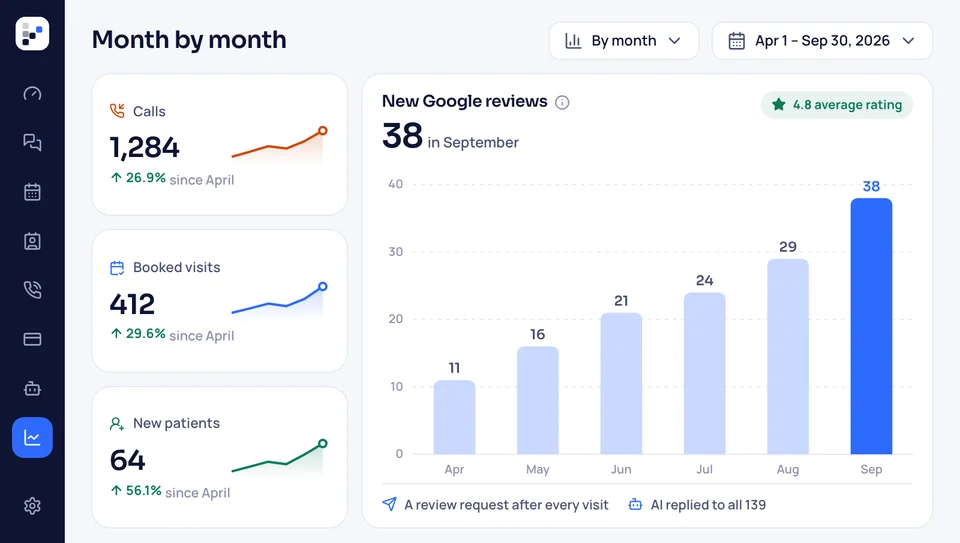
Each month shows the new Google reviews, your star rating, and how many families were asked. Our team answers each new review, and the report lists those replies, so you can read what was said in your name.
- This monthnew reviews, rating and requests sent.
- Replieseach one our team wrote and posted.


Also tracked
- Missed calls flagged
- Answered and missed calls, counted
- Spreadsheet export
- Pick any date range
- Staff access by role
- A monthly report written by our team
Reports draw on each part of the plan
Calls come from the tracking numbers, forms from the website, leads from pre-planning, and reviews from the review requests. Nothing is typed in twice; each report reads from the part that made it.

Business reports, tracking Calls, forms, pre-planning leads, reviews and ad spend, with our summary each month.
This pageWhere the numbers come from
- Memorials online Each memorial page has its own tribute wall, and calls from it are counted.
- Website build A site our team builds and keeps current, fast on phones too.
- Showing up on Maps Your Maps listing gets its own tracking number, so its calls are counted.
- Google, Facebook ads Campaigns our team runs for at-need and pre-need calls in your town. The home pays the spend to Google and Facebook.
- Texting If nobody picks up, the family is texted back.
- Online payments Families settle the deposit and the balance online, by card.
- Review replies Families are asked for a review after the service, and every reply is written by our team.
Give each ad its own number
Our free call takes 30 minutes. In it, we review the ads and listings you run today, map a number to every one, and hand you a monthly price. Month to month, no setup fee.


What funeral directors say

Walter D.Family-owned home 3 → 1vendors to callWe canceled three vendors. The website, obituaries and reviews now sit with one team that picks up the phone.

Carmen P.Cremation provider 1 minuteto the first replyFamilies used to reach voicemail at 2 a.m. These days a text reaches them within the minute, and I read the details over coffee.

Terrence M.Third-generation home 11pre-planning meetings, month oneOur pre-planning list sat untouched for years. The follow-up texts booked eleven meetings in month one.

Gwen H.Two-location home 0paper contractsArrangements used to mean a stack of paper. Families now sign the contract and put down the deposit on their phones.

Anil R.Home and crematory 31 → 104Google reviewsEach family hears from us about a review after the service ends. Our Google reviews went from 31 to just over a hundred in twelve months.

Marisol K.Rural funeral home 2 weeksto a new websiteOur old site went up in 2014. A fortnight after we spoke, a new one was live, with every obituary carried over.


Questions about reports
What owners ask us most
Looking for something specific? Type it, or pick a search on the right.
6 questions
What reports can I see?
Calls by source, website forms by page, pre-planning leads by stage, fresh Google reviews with your star rating, and each ad campaign's spend and results. You can open them whenever you like, and our team sends a written summary each month.
Will I know whether a family found my home through an ad or through Maps?
Yes. Your Google ads, Facebook ads and Maps listing each show a different tracking number that rings through to your office line. The call log names the one each family dialed.
Will you explain each month's numbers?
Yes. Early each month, our team emails you a short report in plain English: how many families called and from where, which forms came in, how pre-planning leads moved, what reviews arrived, and what the ads cost and brought. It ends with what we plan to change next month, and you can reply with questions or book a call to go through it.
Can I export the reports?
Yes. Call logs, form entries and lead lists download as spreadsheet files, so a partner or your office manager can open them in Excel without a login.
Do I build reports myself?
No. Our team sets up the tracking numbers, the forms and the reports before launch. You open them when you want, and we send the written summary each month.
Who else can see them?
You choose. Owners, directors and office staff each get their own login, and you decide which reports each person can open.
Popular searches
Ask about reporting
Elise Navarro goes through the first monthly report with each new home. Questions before then go to sales@memorialbooked.com.
Elise NavarroAccount manager
Request a call